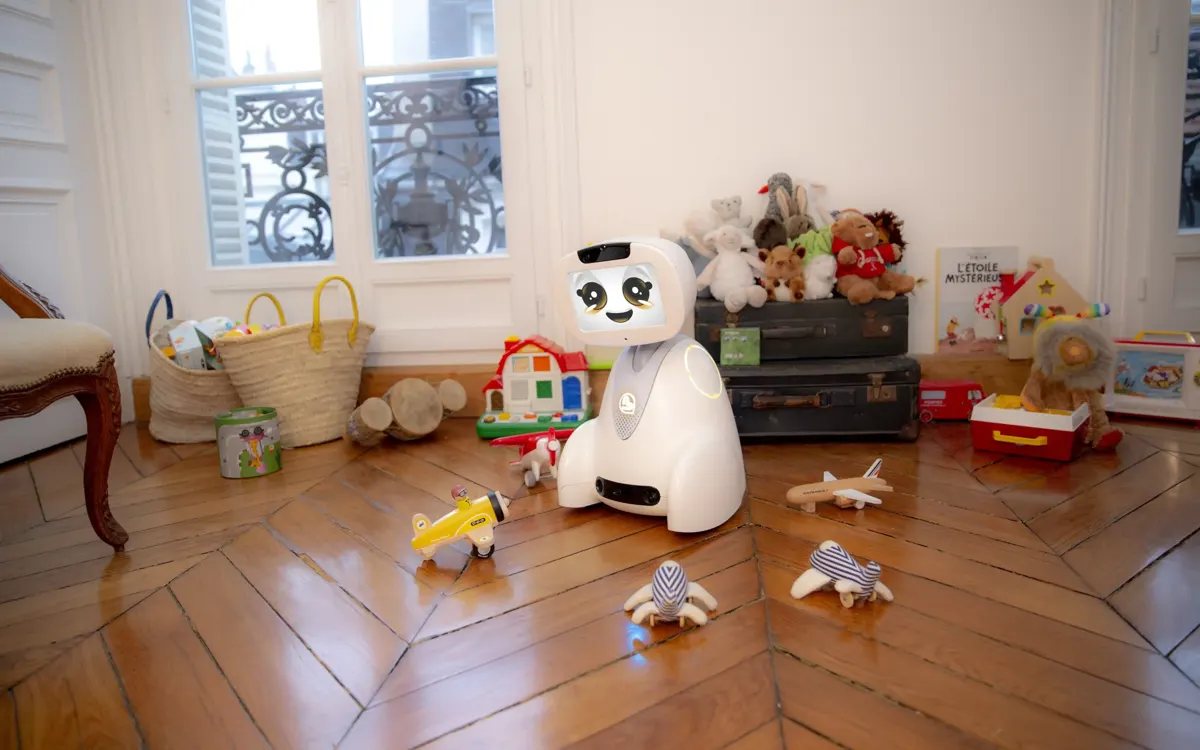
- Preschool: screen-free robots such as Bee-Bot (ages 3+, up to 40 commands) or Sphero indi with color tiles.
- Elementary school: block-based programming, e.g., Ozobot Evo (ages 6+) or Calliope mini, developed for kids from third grade.
- LEGO: Mindstorms was discontinued at the end of 2022, SPIKE direct sales ended on June 30, 2026; the SPIKE app will be maintained until June 30, 2031.
- Prohibited in Germany: devices with a secret listening or camera function (Section 8 TDDDG) – the Federal Network Agency lists three questions to check.
- The new EU Toy Safety Regulation 2025/2509 has been in force since January 1, 2026, but will only apply from August 1, 2030 (including a digital product passport).
In 2026, robots for kids are much more than remote-controlled toys. The range extends from the bee robot that preschoolers send across the carpet at the push of a button, to robot kits with sensors and motors, to platforms on which teens program in Python. There is also a growing group of companion and play robots such as EMO or Eilik, which are mainly meant to entertain and respond to people with facial expressions, sounds and movements.
For parents, the choice can be correspondingly confusing. This guide sorts the most important categories by age, explains what kids actually learn, which programming languages make sense when, and what to watch out for in terms of privacy when a robot has a camera or microphone. One important note up front: Bot Up Your Life does not carry out its own tests. All information on age recommendations, features and prices comes from manufacturers, retailers and authorities and reflects the situation as of October 2026.
Which robot suits which age?
Manufacturers' age ratings are a good first guide. What really matters, though, is how the child interacts with the robot: through buttons, color codes, on-screen blocks or typed code.
Preschool (about 3 to 6 years): At this age, robots that work entirely without a screen are the way to go. The Bee-Bot is a well-known example. According to retailers, it is suitable from age 3, moves forward or backward in steps of 15 centimeters, turns 90 degrees and stores up to 40 commands. It is programmed using six buttons on its back. The Sphero indi is also aimed at preschoolers: it drives over colored tiles and performs a different action depending on the color. An app is optional.
Elementary school (about 6 to 10 years): Now visual block-based programming and the first sensors come into play. Ozobot Evo is recommended for kids aged 6 and up and follows lines and color codes drawn with markers, but it can also be programmed via drag and drop in the app. The Calliope mini is a mini computer that the nonprofit Calliope gGmbH developed specifically for students from third grade up. The current version 3 includes a motion sensor, a microphone, an LED matrix and a driver for two motors, so it can be used to build simple driving robots.
Ages 10 and up: At this age, robot kits with multiple sensors and more challenging tasks make sense. According to retailers, the Makeblock mBot2 is suitable from age 8, but it really comes into its own when kids want to move from blocks to Python.
Teens (from about 13): Teens can work with text-based programming, connect their own sensors and design projects freely. Platforms such as micro:bit or Calliope mini with add-ons, Python-capable robots and competitions at school and in clubs offer more scope here than any ready-made toy.
What do kids learn with educational robots?
Educational robots make abstract ideas from computer science tangible. When a Bee-Bot stops in the wrong spot, the child immediately sees that their sequence of commands contained a mistake. This exact principle runs through all age groups.
- Algorithmic thinking: breaking tasks down into individual steps and putting them in the right order.
- Troubleshooting: trying things out, observing, correcting. So-called debugging is one of the most important skills in programming.
- Loops and conditions: repetitions and if-then rules, such as "If the distance sensor detects an obstacle, then turn away."
- Understanding technology: Kids learn how motors, sensors and batteries work together, especially with kits where they screw and plug things together themselves.
- Teamwork: Many school products are designed for group work, for example for teams of four kids.
Whether a robot actually delivers these learning effects depends heavily on guidance. A device that only shows a few pre-programmed tricks after unboxing, on the other hand, quickly loses its appeal. So look for included challenges, learning paths or free teaching materials.
Scratch, Blockly, Python: Which programming language when?
Most robots for kids rely on block-based programming. Instead of typing code, kids drag together colored blocks that fit into each other like puzzle pieces. This rules out syntax errors.
- ScratchJr: According to the Scratch Foundation, the simplified version of Scratch is intended for kids aged 5 to 7 and works with symbols instead of text.
- Scratch: According to the Scratch Foundation, the best-known block language is aimed at kids aged 8 and up. Many robot environments are based on it, such as mBlock for the mBot2, which is compatible with Scratch 3.0.
- Blockly: The open-source library for block-based programming was originally developed by Google and has been housed at the Raspberry Pi Foundation since November 10, 2025. Numerous editors are built on Blockly, including Microsoft MakeCode, which is used for the Calliope mini, among others. Ozobot's OzoBlockly doesn't bear the name by accident, either.
- Python: The step to a text language is easiest when the same platform can do both. Calliope mini and mBot2 offer Python in addition to blocks. For the mBot2, the manufacturer cites MicroPython and Python 3.
A rule of thumb: symbols and buttons for preschool, blocks for elementary school, and from about age 12 a gradual switch to Python, if the child shows interest.
LEGO robots in 2026: What happened to Mindstorms and SPIKE?
Anyone searching for "LEGO robots" will still come across many older recommendations. But the situation has changed significantly. LEGO discontinued the Mindstorms line at the end of 2022; the last set was Robot Inventor 51515. At the time, LEGO pointed to SPIKE Prime from its education range as its build-and-code offering.
In January 2026, LEGO Education then announced the new learning package LEGO Education Computer Science & AI. It is structured in three age bands for grades from kindergarten to 8th grade, has been shipping since April 2026 according to the announcement, and costs from $339.95 per kit in the US, designed for groups of four. Programming takes place in the browser or via an iOS app with word and icon blocks. According to LEGO, no student login is required, and data is only stored locally. In terms of content, the aim is to show kids how artificial intelligence works, partly in units that require no screen at all.
At the same time, the SPIKE line is being phased out. Direct sales of SPIKE Prime and SPIKE Essential by LEGO Education ended after June 30, 2026, though retailers may continue to sell remaining stock. The SPIKE app is to be maintained until June 30, 2031, and LEGO will keep spare parts available until June 30, 2028. In the FIRST LEGO League, SPIKE is still permitted through the 2027/2028 season. So if you buy an inexpensive SPIKE set now, you'll get a working system, but you should know that no new features are coming.
Robot kit or ready-made robot: Kosmos, mBot, micro:bit and more
A robot kit combines construction and programming. It takes longer, but it teaches more about technology than a ready-made robot. Some examples with documented specifications:
- Kosmos Codix: A mechanical coding robot for ages 8 and up with more than 150 parts that can be used to build five models, such as a gripper or a forklift. It is programmed without an app or screen by inserting pins into a coding wheel. In online retail, the price was around €50 in October 2026. Kosmos offers other robot experiment kits, with features and age ratings varying by model.
- Makeblock mBot2: A driving robot with the CyberPi control computer, an ultrasonic sensor (range of up to 400 centimeters according to retailers), a quad color sensor for line following, a gyroscope, a microphone and a speaker.
- micro:bit robots: Various manufacturers offer chassis into which a BBC micro:bit is plugged. Check whether the micro:bit is included or has to be bought separately.
- Calliope mini 3: The mini computer itself costs €38.90 at one German retailer. With motors and a chassis, it becomes a robot, and add-ons can be connected via Grove and Jacdac ports.
Ready-made educational robots such as Bee-Bot, Ozobot or Sphero indi are better suited to younger kids and quick wins. Kits are worthwhile if the child enjoys tinkering and has the patience for a longer project.
Companion and play robots: EMO, Eilik and the lifelike robot dog
Besides educational robots, so-called desktop or companion robots are popular. They sit on the desk, show facial expressions on a display, respond to touch and voice and are meant to convey a kind of personality. As a rule, they don't teach programming.
- Eilik from Energize Lab: The small robot has a 1.54-inch OLED display, a speaker and four servo motors. According to the manufacturer, it works without Wi-Fi or internet and can interact with other Eilik units. It costs $139.99 in the official store. The manufacturer does not mention a camera.
- EMO from Living AI: According to the product information, EMO has an HD camera with face recognition for up to ten people, an array of four microphones and a touch sensor on its head. This makes it one of the devices where parents should pay close attention to privacy.
- Robot dogs: A search for a "lifelike robot dog" turns up both simple toy dogs with sounds and walking movements and expensive, connected robots with cameras that are intended more for adults. Check especially carefully whether a camera, microphone or app connection is present and what age the product is rated for.
Privacy and safety: What applies to cameras and microphones?
As soon as a robot combines a camera, microphone and wireless connection, it's no longer just about fun and games. In Germany, Section 8 of the Telecommunications Digital Services Data Protection Act (TDDDG) prohibits devices that are disguised as everyday objects and can secretly eavesdrop on conversations or take pictures. A function is considered secret if it is not clearly recognizable to those affected during normal use. The Federal Network Agency (Bundesnetzagentur) explicitly includes app-controlled robots and connected toys with hidden cameras.
The agency recommends three questions before buying: Does the product have a wireless-capable camera or microphone? Are image or audio files passed on without the knowledge and control of those affected? Can the camera or microphone be accessed secretly from outside? If you have to answer yes to the second or third question, you are dealing with a device that is prohibited in Germany.
Further rules apply at the EU level:
- CE marking: Toys currently have to meet the requirements of the Toy Safety Directive 2009/48/EC and bear the CE mark.
- Radio equipment: Since August 1, 2025, cybersecurity and data protection requirements have been mandatory for connected radio equipment. The associated standard explicitly includes toys.
- AI: Since February 2, 2025, the EU AI Act has prohibited AI systems that exploit people's vulnerability due to their age in order to influence their behavior in a harmful way.
According to the German federal government, the initiative "Schau hin!" advises giving internet-connected toys only to kids aged about ten and up who have some online experience, and switching off connected devices when not in use. This section provides an overview and is not a substitute for legal advice.
Checklist: How to find the right robot for your child
- Check age and controls: buttons or color codes for preschoolers, block-based programming for elementary school, a Python option from about age 12.
- Clarify the goal: Should the child learn to program, build and tinker, or simply have a playmate?
- Growing with the child: Does the platform offer a path from blocks to Python, add-ons and extra sensors?
- Learning materials: Are there challenges, project ideas or free courses, ideally in your language?
- Software future: How long will the app be maintained? For systems being phased out, such as LEGO SPIKE, the support dates are public.
- Camera and microphone: Are they present, recognizable and can they be switched off? Is data transferred to a cloud?
- Account and app: Is a user account required? Read the app's privacy policy.
- Labeling: A CE mark, age rating, warnings and instructions in your language should be present.
- Follow-up costs: Budget for batteries, spare parts, add-on modules and possibly app subscriptions.
Conclusion
There is no single best robot for kids, but there is a suitable one for every age. For preschoolers, screen-free robots such as Bee-Bot or Sphero indi are a good place to start. In elementary school, Ozobot, Calliope mini or a mechanical kit such as Kosmos Codix offer playful wins. From age 10, robot kits such as mBot2 or micro:bit chassis are worthwhile, as they make the switch to Python possible. When it comes to LEGO, parents should know that Mindstorms is history and SPIKE is being phased out.
Companion robots such as EMO or Eilik are entertaining, but they are not educational robots. The more cameras, microphones and the cloud are involved, the more closely you should look. The Federal Network Agency's three questions are a simple and reliable yardstick for this.
Outlook: What will change by 2030
The EU has reorganized toy safety. The Toy Safety Regulation (EU) 2025/2509 was adopted on November 26, 2025, and entered into force on January 1, 2026. However, it will only apply from August 1, 2030, when it replaces the previous Toy Safety Directive. New features include a digital product passport that replaces the declaration of conformity and must be accessible via a data carrier such as a QR code. In addition, manufacturers of connected toys will have to take risks to mental health into account in their safety assessment. Toys placed on the market under the old rules before August 1, 2030, may continue to be sold. How exactly the requirements for connected and AI-powered toys will be implemented in practice is still open.
Frequently asked questions
At what age do robots for kids make sense?
Simple educational robots such as the Bee-Bot are offered from age 3 and work without a screen. Block-based programming is usually suitable from elementary school age, and Python from about age 12.
Which robot kit is suitable for kids aged 8 and up?
Examples rated for ages 8 and up are Kosmos Codix (mechanically programmable, no app) and Makeblock mBot2. Which one fits depends on whether the child prefers building or programming.
Is LEGO Mindstorms still available?
No. LEGO discontinued Mindstorms at the end of 2022. The SPIKE line is also being phased out: direct sales by LEGO Education ended on June 30, 2026, and the successor in education is LEGO Education Computer Science & AI.
Are EMO and Eilik educational robots?
Not really. Both are companion robots that entertain with facial expressions, sounds and movements. According to the product information, EMO has a camera and four microphones; according to the manufacturer, Eilik works without Wi-Fi.
Are toy robots with cameras allowed in Germany?
Generally yes, as long as the camera and microphone are clearly recognizable to those affected. Under Section 8 TDDDG, disguised devices that can secretly record or transmit images or sound are prohibited. This is not a substitute for legal advice.
Which programming language do kids learn with robots?
Usually block-based languages such as ScratchJr (ages 5 to 7), Scratch (ages 8 and up) or Blockly-based editors such as MakeCode. Platforms such as Calliope mini or mBot2 also offer Python.
Sources
- EU-Kommission: Toy safety (CE-Kennzeichnung, Verordnung 2025/2509) (single-market-economy.ec.europa.eu)
- § 8 TDDDG – Missbrauch von Telekommunikationsanlagen (gesetze-im-internet.de)
- Bundesnetzagentur: Vorsicht beim Kauf smarter Produkte (bundesnetzagentur.de)
- Bundesregierung: Aufgepasst bei vernetztem Spielzeug (bundesregierung.de)
- SGS: RED-Cybersicherheitsanforderungen ab 1. August 2025 (sgs.com)
- CNPD Luxemburg: Verbotene KI-Praktiken nach AI Act (cnpd.public.lu)
- LEGO: LEGO Education Computer Science & AI angekündigt (lego.com)
- LEGO Education: SPIKE Update 2026 (Auslauf und Support) (education.lego.com)
- Brick Fanatics: LEGO stellt Mindstorms Ende 2022 ein (brickfanatics.com)
- Scratch Foundation: Scratch und ScratchJr – Altersempfehlungen (scratchfoundation.org)
- Raspberry Pi Foundation: The new home for Blockly (raspberrypi.org)
- Calliope gGmbH: Calliope mini (calliope.cc)
- BerryBase: Calliope mini 3.0 (Preis, Ausstattung) (berrybase.de)
- PB Tech: Bee-Bot Produktdaten (pbtech.com)
- IEEE Spectrum: Sphero indi brings robotics to pre-kindergarten (spectrum.ieee.org)
- Nebraska Library Commission: Ozobot Evo (nlc.nebraska.gov)
- Botland: Makeblock mBot2 (Sensoren, mBlock, Python) (botland.store)
- Galaxus: Kosmos Codix Coding-Roboter (galaxus.be)
- Energize Lab: Eilik (offizieller Shop) (store.energizelab.com)
- Origin of Bots: Living AI EMO – Ausstattung (originofbots.com)
Related robots
Miko Mini
Miko · India · 2023 · Companion
- Height: 16.5 cm
- Runtime per charge: 3 hrs
- Learning companion for children ages 5-10, Games, Stories
Casio Moflin
Casio · Japan · 2024 · Companion
- Weight: 0.3 kg
- Runtime per charge: 5 hrs
- Pet substitute, Emotional companionship
Yukai Engineering Mirumi
Yukai Engineering · Japan · Companion
- Weight: 0.2 kg
- Runtime per charge: 8 hrs
- Bag charm, Companion
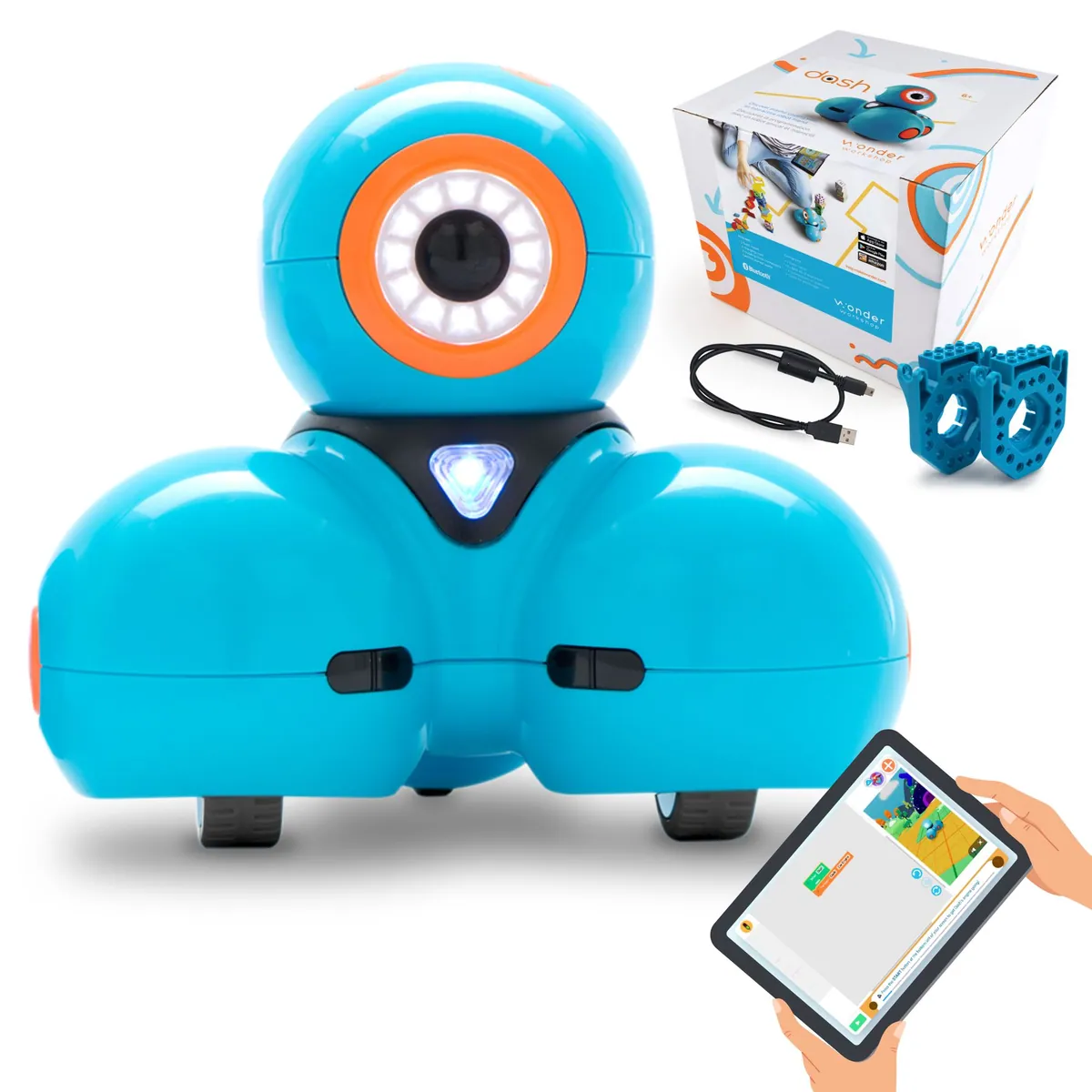 Image: Wonder Workshop
Wonder Workshop Dash
Wonder Workshop · United States · Education
- Runtime per charge: 5 hrs
- Elementary school, Home
Calliope mini 3.0 mit MotionKit 2.0
Calliope · Germany · Education
- Elementary school from grade 3, School, Home
Energize Lab Eilik
Energize Lab · China · Companion
- Weight: 0.2 kg
- Runtime per charge: 1.5 hrs
- Desktop companion, Toy