Our top pick in this ranking is the Calliope mini 3.0 mit MotionKit 2.0 from Calliope: it leads the ranking on Data coverage, Price. An educational robot for kids should above all suit the child's age: screen-free floor robots from age 3, app and block programming from about age 6, robot kits from age 8 and Python-capable platforms from about age 12. After that, programming environment, expandability, battery, spare parts and data privacy are what matter; prices range from around €50 to over €600.
- Top of our ranking: Calliope mini 3.0 mit MotionKit 2.0.
- Age first: buttons/color cards from age 3, blocks from about 6–8, Python from about 12–13.
- Prices: mechanical kits from approx. €50, floor robots €130–200, expandable platforms and LEGO sets €300–650.
- Look at battery, spare parts and app support: LEGO will maintain the SPIKE app until June 30, 2031, and spare parts until June 30, 2028.
- Data privacy: for online services aimed at children under 16, parents must give consent (Art. 8 GDPR); check account and cloud in advance.
- 25 models from 18 manufacturers compared, 24 of them currently available.
- Price range: $59 to $837 (prices as of October 18, 2026).
- Cheapest available model: Kosmos Codix from €51.
Our picks at a glance
Our top pick: Calliope mini 3.0 mit MotionKit 2.0
For children from grade 3, under supervision. Driving robot with ultrasonic sensor and two wheels. Runs on AAA batteries. Grove connector for expansions.
Why it's on this list: ranked 1 of 10 in our ranking.
Strengths
- cheaper than 92% of the models in its category
Keep in mind
- –
Key specs
- Price: €93
- Data coverage: 42 %
Best value: Edison V3
Age levels: Barcodes from 4, EdBlocks from 7, EdPy from 13. Replaceable battery, over 60 min of driving time.
Why it's on this list: ranked 2 of 10 in our ranking.
Strengths
- “Cheapest” award
- cheaper than 95% of the models in its category
Keep in mind
- data coverage is still thin (38% of core specs documented)
Key specs
- Price: $59
- Data coverage: 38 %
Budget pick: Kosmos Codix
Ages 8 and up (retailer). More than 150 parts, 5 robot models. Screen-free programming via coding wheel. Requires 2 AAA batteries, not included.
Why it's on this list: ranked 6 of 10 in our ranking.
Strengths
- “Cheapest” award
- cheaper than 95% of the models in its category
Keep in mind
- data coverage is still thin (25% of core specs documented)
Key specs
- Price: €51
- Data coverage: 25 %
How this ranking works
How this ranking works: only available or pre-orderable models are included. Each model is ranked within the list for each criterion (Data coverage, Price); missing data counts as the worst value. We don't test robots ourselves but evaluate manufacturer and retailer information.
The specs are based on manufacturer and retailer information; every figure is backed by a source on the model's spec sheet.
Specs compared
| Model | Data coverage (%) | Price |
|---|---|---|
| 1. Calliope mini 3.0 mit MotionKit 2.0 | 42 | €93 |
| 2. Edison V3 | 38 | $59 |
| 3. Wonder Workshop Dash | 42 | $190 |
| 4. Sphero indi | 38 | $150 |
| 5. Petoi Bittle X V2 | 42 | $289 |
| 6. Kosmos Codix | 25 | €51 |
| 7. Petoi Quaddle | 29 | $149 |
| 8. Thymio Wireless | 38 | €204 |
| 9. Matatalab Coding Set | 29 | $170 |
| 10. Makeblock mBot2 | 38 | €290 |
Prices as of: October 18, 2026. Prices are manufacturer or retailer information and may vary.
The ranking: top 10
Calliope mini 3.0 mit MotionKit 2.0
Calliope · Germany · Education
- Elementary school from grade 3, School, Home
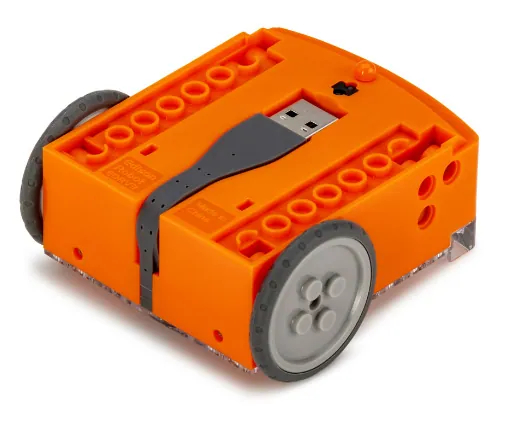 Image: Microbric
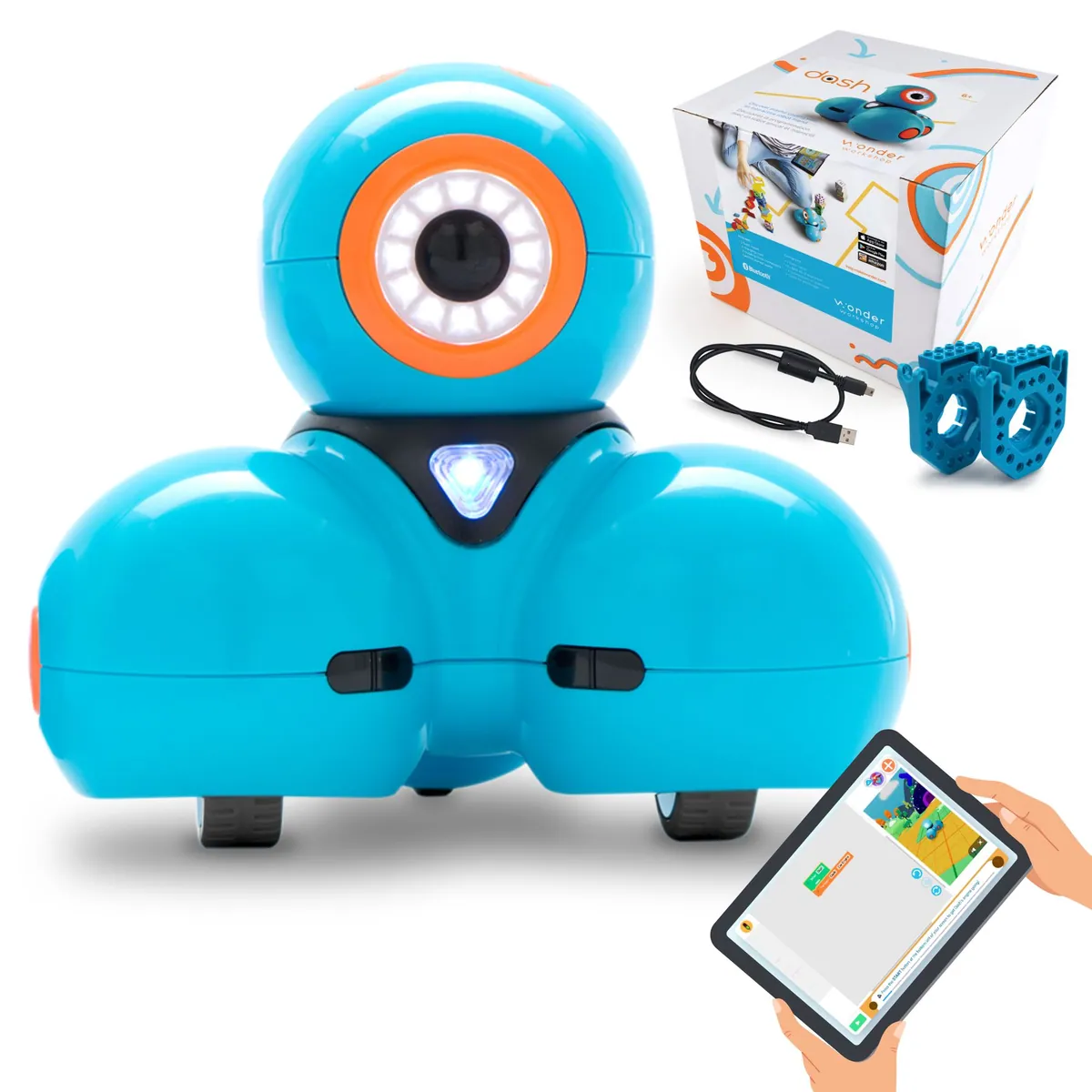 Image: Wonder Workshop
Wonder Workshop Dash
Wonder Workshop · United States · Education
- Runtime per charge: 5 hrs
- Elementary school, Home
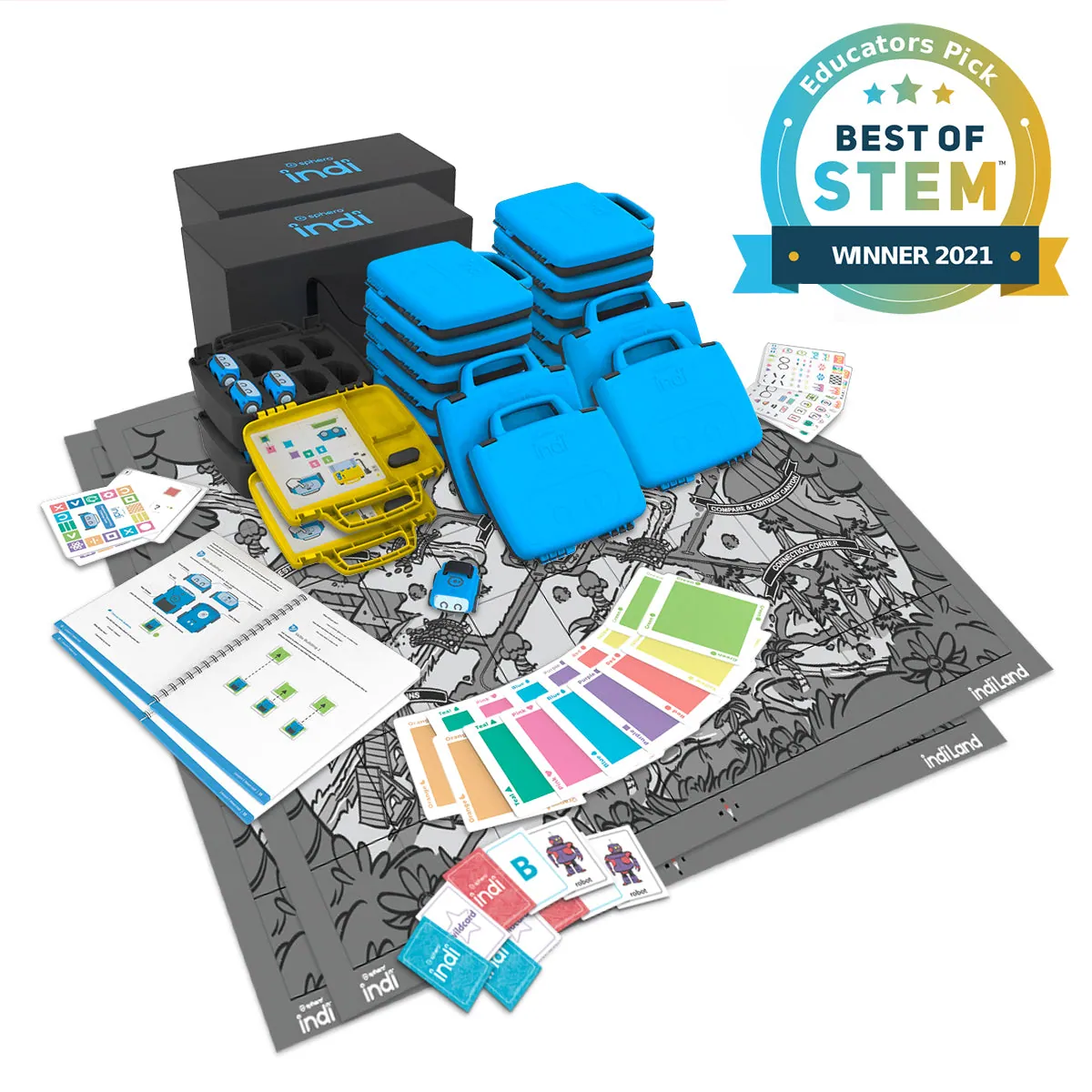 Image: Sphero
Petoi Bittle X V2
Petoi · United States · Education
- Degrees of freedom (total): 9
- Education, ages 10+
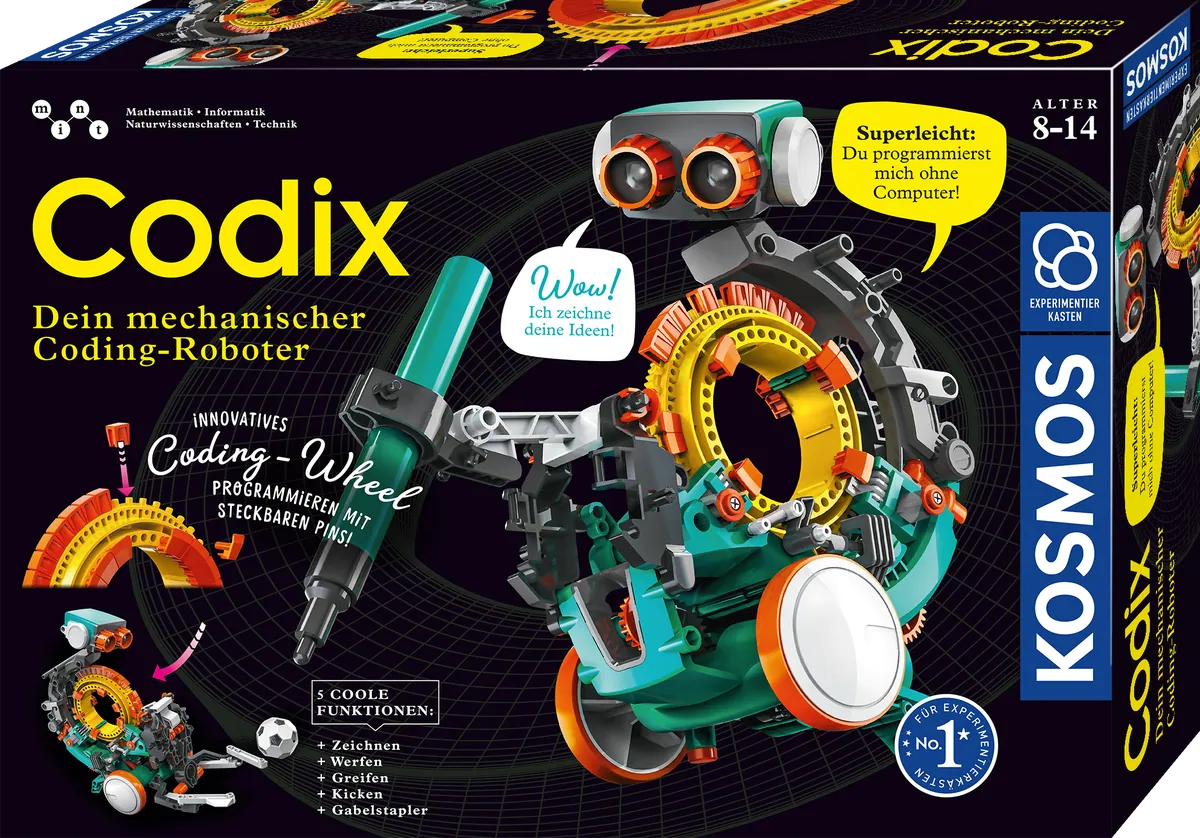 Image: Kosmos
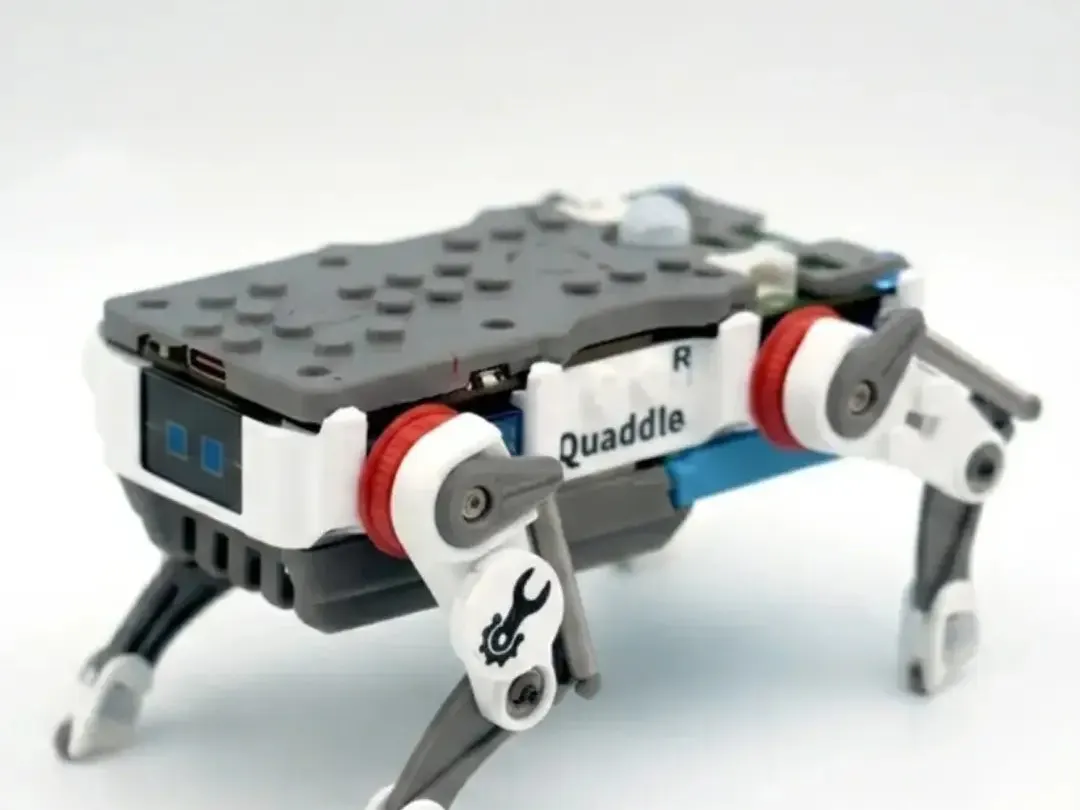 Image: Petoi
Buying guide
In 2026, an educational robot for kids is no longer a niche purchase. Stores stock floor robots for preschoolers alongside robot kits, LEGO robotics sets for entire school classes and walking robots that teenagers control in Python. Prices range from around €50 for a mechanical kit to several hundred euros for expandable platforms. So if you want to buy a robot for kids, the question is less whether it's worth it and more which device suits the child's age, your budget and where it will be used.
This buying guide complements our guide to robots for kids, which covers learning content, programming languages and developments at LEGO. Here, the focus is on the purchase decision and the hard criteria: programming environment, expandability, durability, battery, running costs, data privacy and the difference between school and home. Bot Up Your Life doesn't evaluate robots hands-on. All information comes from manufacturers, retailers and authorities, as of October 2026.
Who is an educational robot for kids worth it for?
A programmable robot is worth it above all when a child enjoys trying things out and has the patience to deal with setbacks. The appeal lies in the fact that a command has immediately visible consequences. If the robot runs into the wall, the sequence of commands was wrong. That motivates many children more than a program that only runs on a screen.
An educational robot is well suited for:
- Families with preschool and elementary school children looking for a screen-free or low-screen introduction to logical thinking.
- Children from about age 8 who like building and tinkering, and for whom a robot kit is a sensible alternative to classic construction toys.
- Teenagers who want to go beyond blocks and program in Python or take part in robotics competitions.
- Schools, daycare centers, libraries and after-school clubs that need several devices with teaching materials.
An educational robot makes less sense if the child is mainly looking for a playmate with personality. For that, there are companion robots that entertain but teach hardly any programming knowledge. And if you just want to try out whether the topic sparks interest, an inexpensive entry-level model or a loan from the library or school is a better choice than an expensive platform.
Which educational robot suits which age and budget?
The age rating on the packaging is the most important filter. It takes into account not only cognitive maturity but also safety aspects such as small parts that could be swallowed. The following levels are based on the manufacturers' information.
Ages 3 to 5: Floor robots programmed via buttons, color cards or wooden blocks are a good fit here. According to retailers, the Bee-Bot is suitable from age 3 and stores up to 40 steps. According to the retailer, the Matatalab Coding Set is aimed at children aged 4 to 9 and works without a tablet. Sphero indi is rated for ages 4 and up and responds to colored tiles. At this age, the budget should be around €100 to €200.
Robots for ages 6 and up: Now the app comes into play, usually with icon-based or simple block commands. Wonder Workshop states a target group of 6 to 11 years for Dash. According to the retailer, the Edison robot grows with the child in stages: barcodes from 4, EdBlocks from 7, EdScratch from 10 and Python from 13. Budget: about €60 to €200.
Robots for ages 8 and up: This is the age of robot kits. According to the retailer, Kosmos Codix is rated for ages 8 and up, as are the Makeblock mBot2 and the LEGO Education "Computer Science & AI" set for the 8 to 10 age group. If your child likes building, this is where you'll find the widest selection. Budget: from around €50 for a mechanical kit to over €300 for sensor-equipped platforms.
Ages 10 to 12: Robots with multiple sensors, expansion ports and a Python option. Examples from our database are the Petoi Bittle X V2 (according to the manufacturer, Education from age 10) and the ROBOTIS DREAM II. Budget: €250 to €450.
Ages 13 and up: Open platforms such as the iRobot Create 3 are aimed at robotics and Python education. These are less about toys and more about learning hardware.
The key buying criteria for educational robots
Apart from age and price, a few technical and practical features determine whether a robot is still being used after three months or disappears into the closet.
1. Programming environment
The software is at least as important as the hardware. Check what kind of programming is possible and whether there's a path to the next level.
- Screen-free: Buttons, color cards, wooden blocks or mechanical coding wheels. Ideal up to about age 6.
- Icon and block commands: The Scratch Foundation recommends ScratchJr for ages 5 to 7 and Scratch from age 8. Many robotics apps follow these levels.
- Python: Makes sense from about age 12 to 13. Edison states an entry age of 13 for EdPy.
- Platform: Does the app run on your tablet, in the browser, or only on certain operating systems? According to the retailer, Thymio, for example, supports Windows, macOS, Linux, Android and iPad.
As a guideline: a robot that offers at least two programming levels, such as blocks and Python, stays in use significantly longer.
2. Expandability
A programmable robot for kids should be able to grow with them. Look for ports for additional sensors and motors, compatible components and open interfaces. The Calliope mini 3, for example, can be expanded via Grove connectors, and the MotionKit 2.0 turns it into a driving robot with an ultrasonic sensor and two wheels. For the iRobot Create 3, the manufacturer mentions a removable faceplate for add-ons as well as USB, Bluetooth, Wi-Fi and Ethernet.
3. Durability and spare parts
Kids' robots fall off tables, bump into furniture and get thrown into boxes. Ask before buying:
- Is the battery replaceable? According to the retailer, the internal battery of the Edison V3 can be replaced.
- Are spare parts available, and for how long? LEGO Education will stock spare parts for the discontinued SPIKE series until June 30, 2028.
- How long will the app be maintained? For the SPIKE app, LEGO states June 30, 2031.
Kits have one advantage: individual parts can often be reordered or repaired yourself. Ready-made, closed robots, on the other hand, are more robust against falls, but a defect is often a total loss.
4. Battery and runtime
A battery with USB charging saves on battery costs in the long run. Some guideline values from manufacturer information:
- Dash: up to 5 hours of play time according to the retailer.
- Thymio: more than 2 hours according to the retailer, 1,500 mAh lithium-polymer battery.
- Edison V3: more than 60 minutes of continuous driving according to the retailer.
For one class period, 60 minutes is enough; for an afternoon at home, two hours or more is more comfortable. Note on battery operation: Kosmos Codix and the Calliope mini with MotionKit run on AAA batteries, which aren't always included with the kit.
5. What's in the box and learning materials
A robot alone is rarely enough. Check whether activity cards, play mats, charging cables and a power adapter are included. According to the manufacturer, the Sphero indi Student Kit includes 20 color tiles and 15 activity cards. According to the retailer, the Matatalab Coding Set comes with 37 coding blocks and three activity booklets.
How much does an educational robot for kids cost?
Prices vary greatly depending on features, sensors and whether it's a single device or a class set. All figures are manufacturer or retailer prices as of October 2026.
Entry level up to €100: Mechanical kits and microcontroller robots. In October 2026, Kosmos Codix cost €51.19 at a large electronics retailer. The Calliope mini 3 with MotionKit 2.0 was around €93. Edison V3 costs $59 at a US retailer.
Mid-range €100 to €300: Floor robots and app-controlled educational robots. Examples include the Bee-Bot from €132, the Blue-Bot with Bluetooth for €153 at a French retailer, Sphero indi for $150, Dash for $189.99 and Thymio for around €204. From our database, the Makeblock mTiny at €257, Mace Robotics MRPiZ at €260 and Petoi Quaddle at $149 to $269 belong in this class. The Makeblock mBot2 costs between €289.90 and around €327 at German retailers.
Premium €300 to €700: Expandable platforms and class sets. These include the Petoi Bittle X V2 at $289 to $319, LEGO SPIKE Essential for €352, Photon for €379, ROBOTIS DREAM II for €417, iRobot Create 3 for €594 and the Robosen T9E Planetary Rover for €649. At an Irish retailer, the LEGO Education "Computer Science & AI" sets cost €339, €419 or €519, depending on the age level.
A note on class sets: school products are often sold as a package of several robots. That's why the price range for the Bee-Bot in our database goes up to €893. When comparing, always convert to the price per robot or per child. For its new sets, LEGO states about $84.98 per child with four children per set.
Types at a glance: floor robots, kits, LEGO robots and more
Educational robots can be roughly divided into five groups. Each has its own strengths.
- Floor robots: Compact driving robots that execute commands on the floor or a mat. Examples: Bee-Bot, Blue-Bot, Sphero indi, MatataBot. Strength: instant success, robust, screen-free. Weakness: little room to grow.
- App robots: Fully assembled robots with sensors that are programmed via tablet. Examples: Dash, Edison, Thymio, Photon. Strength: several programming levels. Weakness: dependent on the app and tablet.
- Robot kits: Children build the robot themselves. Examples: Kosmos Codix, Makeblock mBot2, Calliope mini with MotionKit. Strength: technical understanding. Weakness: higher entry barrier, small parts.
- LEGO robots: Building sets with motors, sensors and an app. Since April 2026, LEGO Education has offered the "Computer Science & AI" series in three age levels. Mindstorms no longer exists, and SPIKE is only being sold off through retailers.
- Walking and animal robots: Four-legged robots such as the Petoi Bittle X V2 or Quaddle combine assembly, servo technology and programming. They're better suited to older children and teenagers.
School or home: what's different when buying?
Many educational robots come from the education sector. That's not a disadvantage, but it does bring different priorities.
For schools, what counts is class sets, charging stations for multiple devices, teacher materials, the number of children per device and data-minimizing operation. LEGO designs its new sets for groups of four and states that no student login is required and data is only stored locally. Calliope offers a class set of 25 devices with workbooks and a teacher's guide at a reduced price reserved for schools and educational institutions. According to the retailer, there's a charging station for Edison that charges up to five robots at the same time.
For home, other points are more important: can the child get started alone without an adult setting up the software? Are there short activities for 20 minutes? Are the instructions available in your language? A home device should be bought as a single or family set rather than a class set.
A practical tip: ask the school which system is used in class. A robot the child already knows lowers the barrier to getting started at home. Conversely, a different system can be a welcome change.
Data privacy and safety: what parents should look out for
Most educational robots don't have a camera. Wonder Workshop, for example, states explicitly that Dash doesn't contain a camera. Nevertheless, apps often process data, such as user accounts, projects or usage statistics.
- Consent: Under Art. 8 GDPR, parents must give consent for online services aimed directly at children as long as the child is under 16. Member states may lower the limit to as low as 13.
- Account: Check whether the app works without an account and whether projects are stored locally or in a cloud.
- Camera and microphone: If present, they should be clearly recognizable and possible to switch off. Disguised devices with a secret recording function are prohibited in Germany under Section 8 TDDDG.
- Labeling: Toys in the EU must bear the CE mark. An age rating and warnings about small parts are part of this.
- Small parts: With kits containing screws, cables and battery compartments, younger siblings shouldn't join in. Calliope points out that the mini computer is generally used under adult supervision.
Since August 1, 2025, mandatory cybersecurity requirements have also applied in the EU to connected radio equipment, explicitly including toys.
Care, maintenance and running costs
Educational robots are low-maintenance, but they're not free to keep running. Plan for the following items:
- Batteries: Battery-powered kits use up AAA batteries on an ongoing basis. Rechargeable batteries are cheaper in the long run, provided the manufacturer allows them. Calliope, for example, explicitly recommends disposable batteries rather than rechargeables for external motor support.
- Accessories: Play mats, additional color cards, sensors, charging cases. For Sphero indi, for example, the manufacturer offers separate code mats.
- Software subscriptions: Most programming apps are free. Some manufacturers charge fees for courses or teacher training.
- Spare parts: Wheels, tires, cables and servos wear out. Ask about availability before buying.
A dry cloth is usually enough for cleaning. Rechargeable batteries shouldn't be stored fully discharged during long periods of non-use. Disposable batteries should be removed from the device when it's not in use to prevent leakage.
An educational robot as a gift: what to sort out before unwrapping
A robot is a popular birthday or holiday gift. To make sure the fun isn't spoiled by the technology, a little preparation is worthwhile:
- Pre-charge the battery: Many robots are delivered with an empty or partially charged battery.
- Install the app in advance: Check whether your tablet is supported and install the app before the gift is opened.
- Have batteries ready: With kits such as Kosmos Codix, the batteries aren't included.
- Allow time: For kits, plan one to two hours of assembly. Petoi states an assembly time of 40 to 90 minutes for the Bittle X V2.
- Have tools ready: For Codix, the retailer mentions scissors or side cutters and a file.
- Take the age rating seriously: A robot that's too difficult causes frustration. One that's too easy gets boring after a few days.
Common mistakes when buying a robot for kids
- Deciding based on looks alone: A robot with lots of lights isn't automatically educational. The programming environment is more important.
- Ignoring the age rating: If you give a six-year-old a Python robot, you risk frustration. Conversely, a floor robot quickly becomes boring for a twelve-year-old.
- Buying a class set instead of a single device: School products are often offered as packages. Pay attention to the number of robots included.
- Overlooking discontinued models: Since July 1, 2026, LEGO SPIKE has no longer been sold directly by LEGO Education. Remaining stock works, but won't get new features.
- Not checking tablet compatibility: Some apps don't support older tablets.
- Underestimating running costs: Batteries, mats and additional sensors add up.
- Forgetting data privacy: Account, cloud and camera should be checked before buying, not afterward.
Conclusion: how to make the right purchase decision
Choosing an educational robot follows a simple logic: first the age, then the budget, then where it'll be used. For children aged 3 to 5, screen-free floor robots between €100 and €200 are a good start. From age 6, app-controlled robots come into play, and from age 8, robot kits and LEGO sets. From about age 12, a platform with Python and expansion ports is worth it.
What determines how long it stays in use is a programming environment with several levels, a replaceable battery, available spare parts and an app that's maintained for a long time. If you check these points, set up the device in advance and clarify data privacy questions, you'll find a suitable model for every child among the educational robots currently available. The data ranking above shows how the individual models rank in our database.
Frequently asked questions
Which robot is suitable for kids ages 6 and up?
From age 6, app-controlled educational robots with icon or block commands are a good fit, such as Dash (ages 6 to 11 according to the manufacturer) or Edison with EdBlocks from age 7. Screen-free floor robots such as Bee-Bot or Sphero indi are suitable even earlier.
Which robot kit is suitable for kids ages 8 and up?
Kits rated for ages 8 and up include Kosmos Codix (mechanical, no app), Makeblock mBot2 (mBlock and Python) and LEGO Education Computer Science & AI 8–10. Kits require more patience, but teach more technical understanding.
How much does a good educational robot for kids cost?
Mechanical kits are available from around €50, while floor robots and app robots usually cost between €130 and €300. Expandable platforms and LEGO Education sets cost €300 to €650; for class sets, always compare the price per robot.
Which LEGO robot is available in 2026?
Mindstorms has been discontinued, and since July 2026, SPIKE has only been sold off through retailers. New is LEGO Education Computer Science & AI, which has been shipping since April 2026 in three age levels (5–7, 8–10, 11–14).
Are there Kosmos robots without an app?
Yes. Kosmos Codix is programmed via a mechanical coding wheel with pins and needs neither a smartphone nor a computer, but according to the retailer it does need two AAA batteries, which are not included.
Educational robots for school or home: what's the difference?
School products are often sold as class sets with charging stations and teacher materials and are designed for groups. For home, what counts is an easy start, instructions in your language and a single or family set.
Are programmable robots for kids safe in terms of data privacy?
Most educational robots don't have a camera, but the apps often process accounts and projects. Check whether the app works without an account and stores data locally; for children under 16, parents must give consent.
How long does an educational robot's battery last?
According to manufacturers and retailers, runtimes range from around 60 minutes (Edison V3) to more than 2 hours (Thymio) and up to 5 hours (Dash). Some kits run on AAA batteries.
Buying guide sources
- LEGO Education: SPIKE Update 2026 (Auslauf, App-Support, Ersatzteile) (education.lego.com)
- LEGO: LEGO Education Computer Science & AI angekündigt (lego.com)
- Green IT: LEGO Education Computer Science & AI 8–10 (45521), Preis und Inhalt (greenit.ie)
- Scratch Foundation: Scratch und ScratchJr – Altersempfehlungen (scratchfoundation.org)
- Art. 8 DSGVO – Einwilligung eines Kindes (dsgvo-gesetz.de)
- § 8 TDDDG – Missbrauch von Telekommunikationsanlagen (gesetze-im-internet.de)
- EU-Kommission: Toy safety (CE-Kennzeichnung) (single-market-economy.ec.europa.eu)
- SGS: RED-Cybersicherheitsanforderungen ab 1. August 2025 (sgs.com)
- Calliope gGmbH: Produktblatt Klassensatz Calliope mini (calliope.cc)
- Wonder Workshop/Moravia Education: Dash (Preis, Alter, keine Kamera) (moravia-education.com)
- Stemfinity: Edison V3 (Altersstufen, Akku, Sensoren) (stemfinity.com)
- RobotShop EU: Thymio Wireless (Preis, Akku, Programmierung) (eu.robotshop.com)
- Sphero: indi Student Kit (Preis, Lieferumfang) (sphero.com)
- Saturn: Kosmos Codix (Preis, Batterien, Werkzeug) (saturn.de)
- BerryBase: Makeblock mBot2 (Preis, Alter, Programmierung) (berrybase.de)
Related guide: Robots for Kids 2026: Which Robot Suits Which Age?